How to Use Tabs in vim
I started using tabs just recently in vim and found it pretty useful.
Here are a couple of tips on how to create, open and navigate tabs in my favorite editor.
#Create
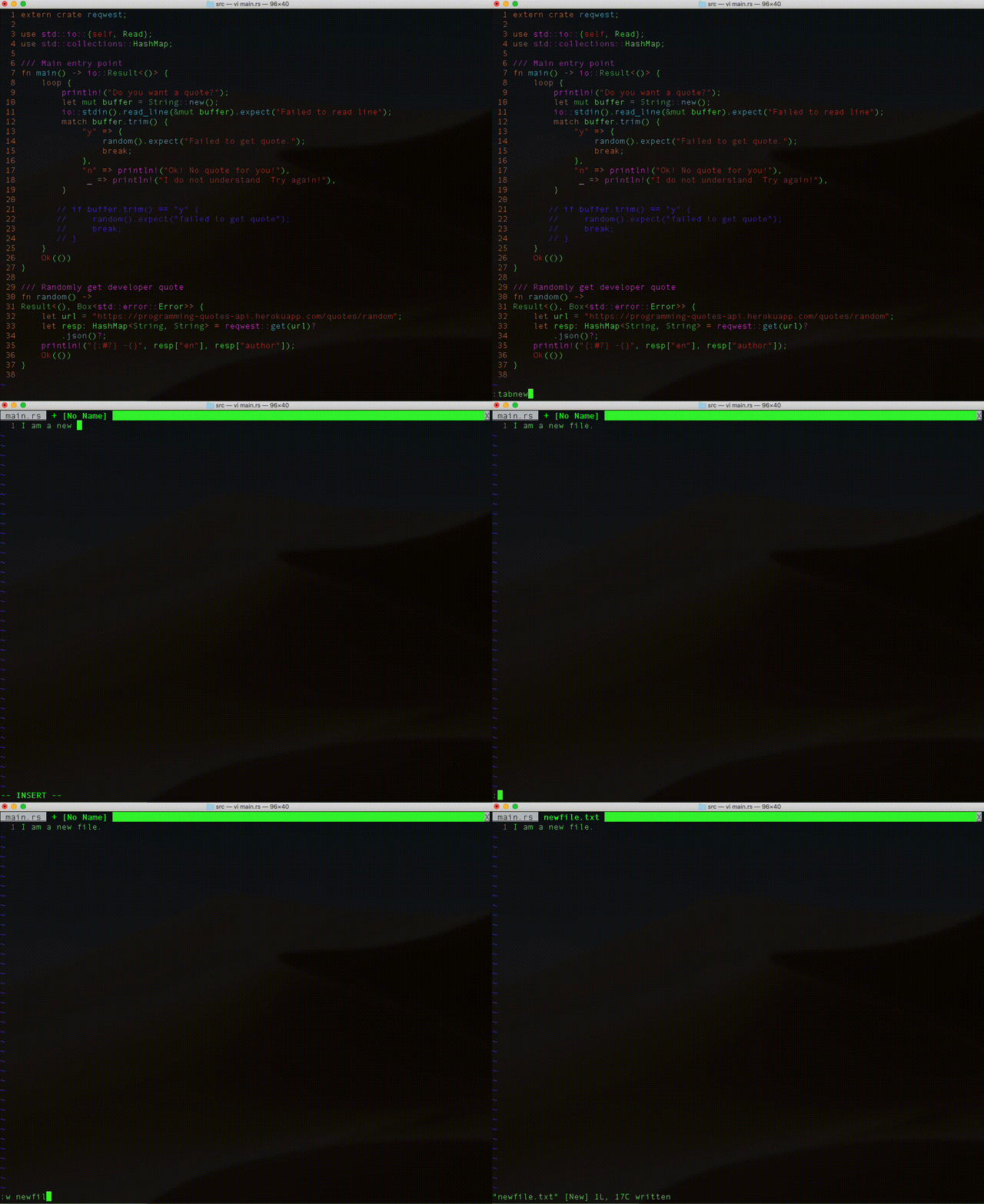
There are many ways to create a new file on the command line.
In vim, you can start to create a new file using tabs with the following:
Type :tabnew and then hit ENTER
On my Mac, this drops me into the editor in insert mode.
You may need to enter insert mode manually (i.e. hit i).
Type away to your heart’s content!
To write the file:
Hit ESC
Type :w file_name and then enter.
#Open
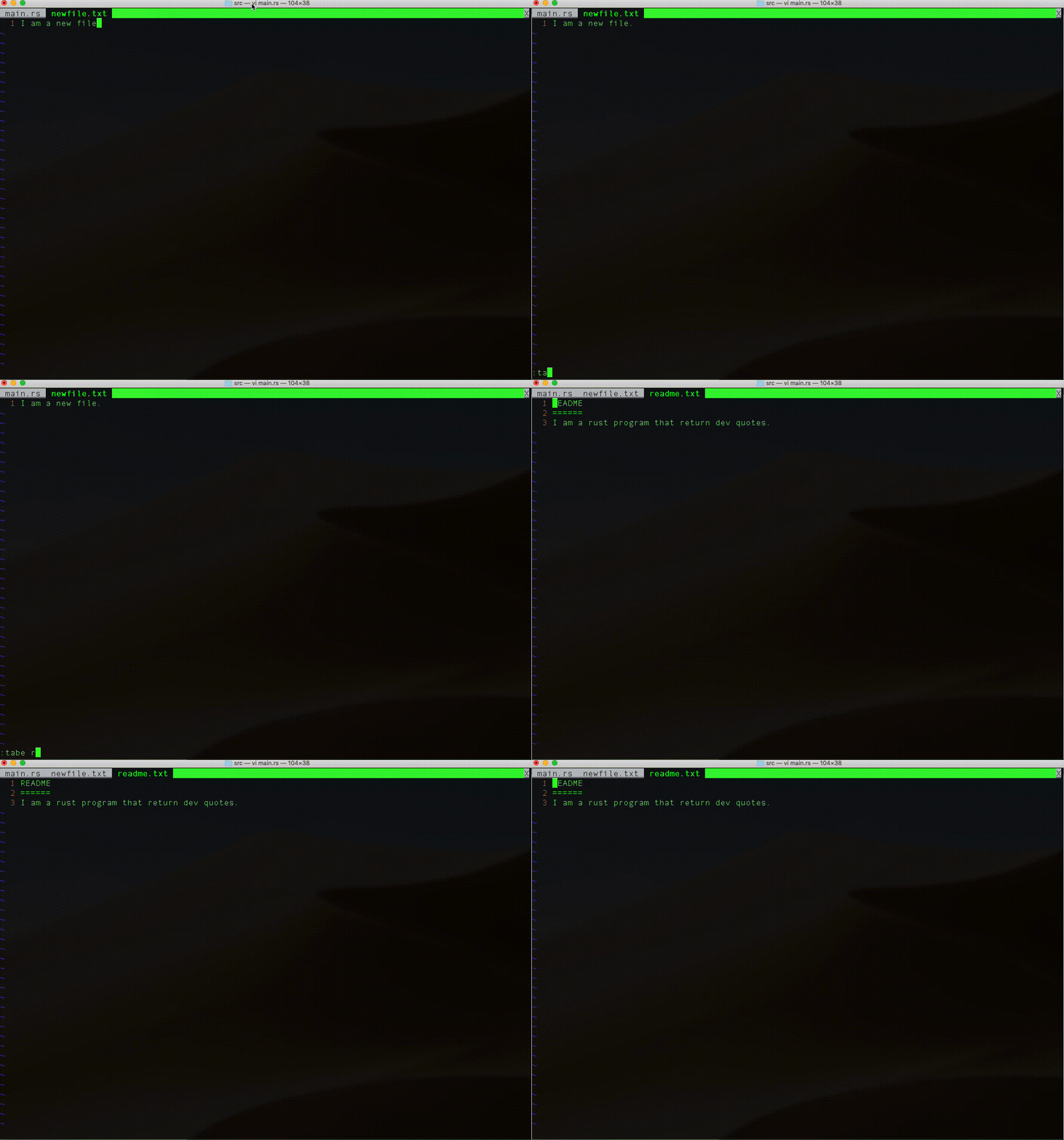
Open an existing file using :tabe name_of_file.
Be mindful of your spelling because if name_of_file doesn’t exist, vim will open a tab with an empty buffer as though you were trying to create a new file.
#Navigate
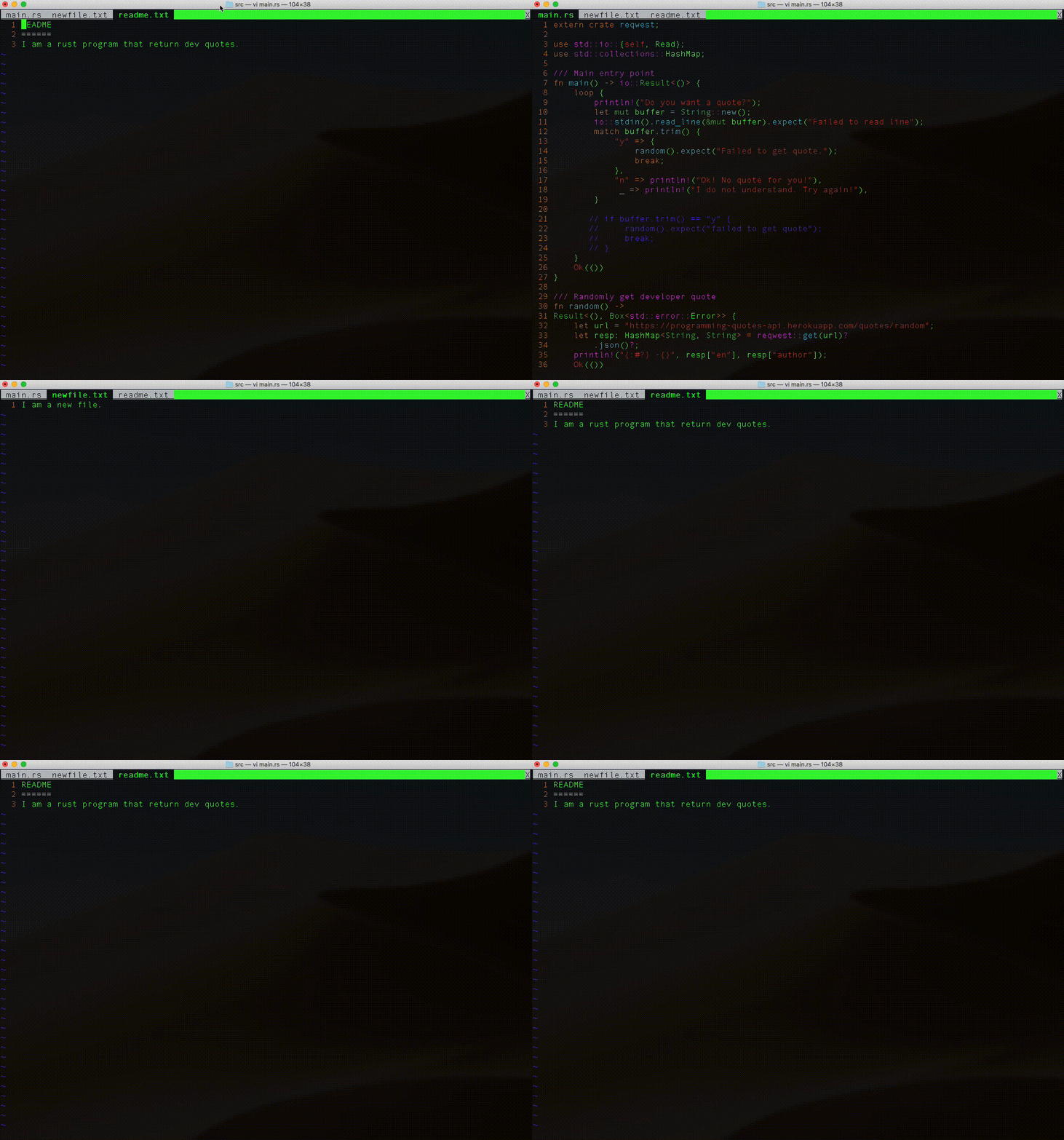
In command mode (hit ESC):
Navigate forward between tabs with gt.
Navigate back using gT.